What Is On-Page SEO?
On-page SEO (also called on-site SEO) refers to the practice of optimizing elements within your own web pages so that search engines like Google can better understand, index, and rank them. The goal is straightforward: send clear signals to Google that your page is the best answer to what users are searching for.
Think of your website as a physical store. On-page SEO is how you arrange the shelves, design the signage, and organize the products so that customers — and Google's crawlers — can easily find what they're looking for, all from within the store itself.
On-Page SEO vs. Off-Page SEO: What's the Difference?
This is one of the most common points of confusion for beginners. Here's a clear breakdown:
Aspect | On-Page SEO | Off-Page SEO |
|---|---|---|
Location | Inside your website | Outside your website |
Examples | Title tags, content, headings | Backlinks, reviews, social signals |
Control | Fully in your hands | Depends on third parties |
Impact | Direct and measurable | Gradual and authority-dependent |
In short, on-page SEO covers everything you can directly control and optimize on your own website. Off-page SEO, by contrast, depends on external actions — like other websites linking back to your pages.
A strong SEO strategy requires both, but for beginners, starting with on-page is the most practical approach because you have full control over it and results can be measured more quickly.
4 Most Important On-Page SEO Elements
1. Title Tag
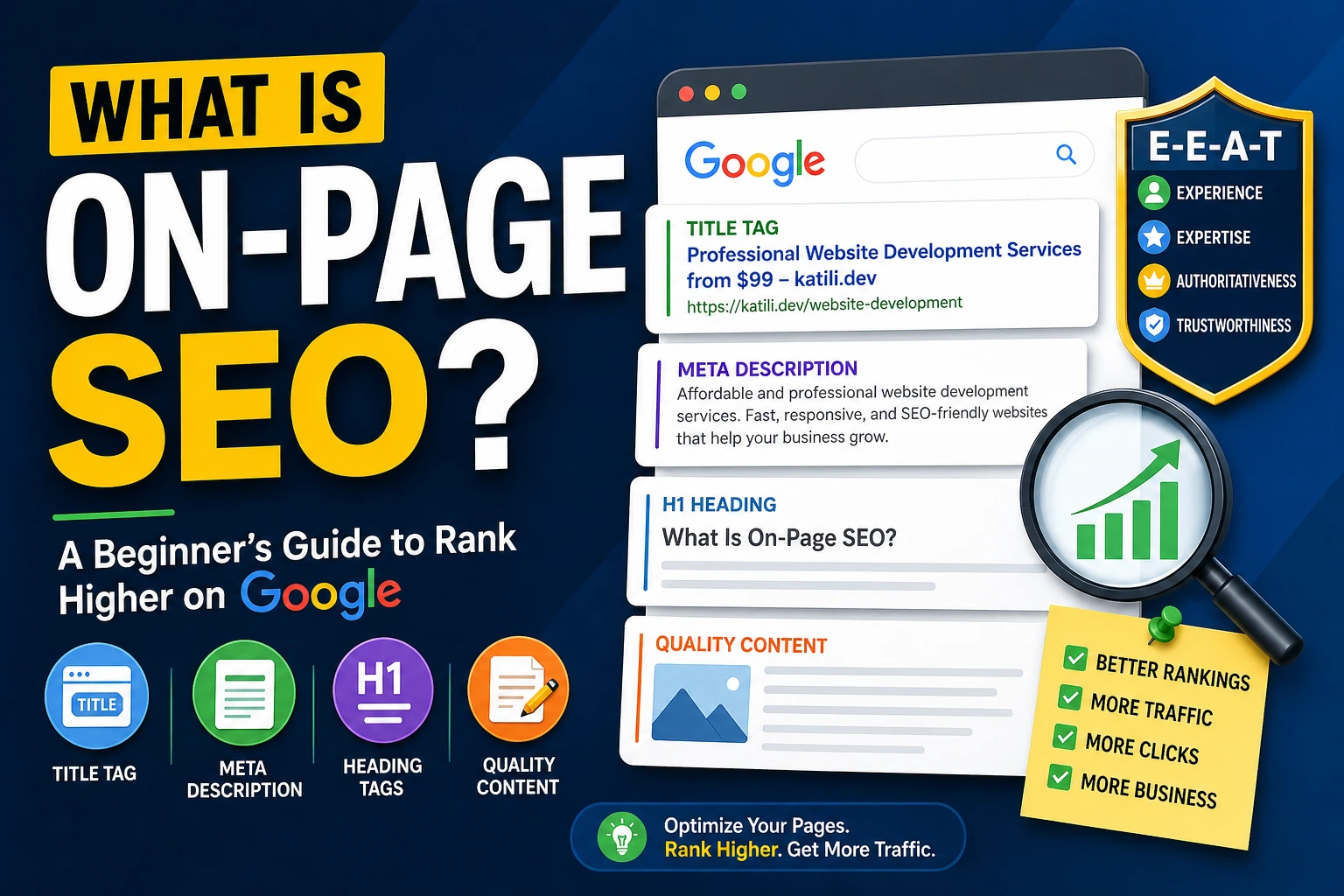
The title tag is the clickable headline that appears in Google's search results (SERP) and in the browser tab. It's one of the strongest on-page ranking signals Google uses to understand what a page is about.
How to optimize your title tag:
Ideal length: 50–60 characters (anything longer will get cut off in the SERP)
Include your primary keyword near the beginning of the title
Write for clicks, not just rankings — Google also tracks CTR (Click-Through Rate)
Avoid duplicates: every page must have a unique title tag
Poor title tag example: "Page 1 | Our Website"Good title tag example: "Professional Website Development Services from $99 — katili.dev"
2. Meta Description
The meta description is the short paragraph that appears below the title tag in search results. While it doesn't directly affect rankings, a compelling meta description can significantly boost CTR — and a higher CTR sends positive engagement signals to Google.
Tips for writing an effective meta description:
Ideal length: 120–160 characters
Naturally include your target keyword (Google will bold it if relevant)
Use action-oriented language: "Learn more", "See the full guide", "Get started today"
Accurately describe the page content — avoid clickbait that misleads users
3. Heading Tags (H1, H2, H3...)
Heading tags work like a table of contents for your content. They help Google understand the structure and hierarchy of your page, while also making it easier for human readers to skim through the article.
H1: Only one per page, typically the article's main title. Include your primary keyword.
H2: Major subheadings that break down the main topic. Great for secondary keywords.
H3–H6: More specific subheadings for detailed points.
A common mistake: using heading tags purely for visual styling without thinking about content structure.
4. High-Quality, Relevant Content
Google has consistently referred to content as "the most important SEO factor." This isn't just a tagline — content that genuinely helps users attracts longer reading time, lower bounce rates, and more natural backlinks.
Characteristics of content Google favors:
Matches search intent: Understand what users actually want when they type a query, not just what the keyword says
Comprehensive: Cover the topic in depth, not just the surface level
Original: Never duplicate or spin content from other sources
Fresh: Regularly updated content receives stronger trust signals
Natural keyword usage: Avoid keyword stuffing — write for humans, not algorithms
Also incorporate supporting elements: images with descriptive alt text, internal links to related pages on your site, and clean, readable URLs.
Google E-E-A-T: The Framework You Need to Know
One of the most critical concepts in modern SEO is E-E-A-T, which stands for:
Experience
Expertise
Authoritativeness
Trustworthiness
Google uses this framework in its Search Quality Evaluator Guidelines — a document used by thousands of human quality raters to assess search result quality. Pages with strong E-E-A-T signals have a greater chance of ranking well, especially for sensitive topics like health, finance, or legal matters (what Google calls YMYL — Your Money or Your Life topics).
How to Apply E-E-A-T to Your Website
Experience:
Write from the perspective of someone who has actually done or experienced the topic
Include photos, videos, or case studies from real-world experience
Show that content is created by knowledgeable humans, not just aggregated from other websites
Expertise:
Create a detailed "About Us" page that explains your team's background and qualifications
Add author bio sections with relevant credentials to each article
Pursue industry certifications or official recognition in your field where possible
Authoritativeness:
Build backlinks from websites that already hold authority in your industry
Earn mentions in industry media, forums, or relevant communities
Contribute to reputable platforms through guest posting or speaking engagements
Trustworthiness:
Make sure your website uses HTTPS (not HTTP)
Display clear contact information: phone number, email address, or live chat
Include genuine customer testimonials and reviews
Create a Privacy Policy and Terms & Conditions page
The Most Common On-Page SEO Mistakes
Here are the pitfalls beginners frequently fall into — and how to avoid them:
1. Keyword StuffingForcing your target keyword into every other sentence does more harm than good. Google's algorithms are sophisticated enough to detect unnatural keyword usage, and it can lead to ranking penalties. Aim for natural density — approximately 1–2% of your total word count.
2. Ignoring Search IntentYou're targeting the keyword "how to build a website" but your page is actually a pricing page for your web development service. Google will detect the mismatch. Always align your content with what users expect to find when they search that keyword.
3. Duplicate Title Tags and Meta DescriptionsHaving the same title tag or meta description across multiple pages is one of the easiest on-page mistakes to avoid. Every page needs its own unique identity in the SERP.
4. Thin ContentPages with minimal text and low informational value struggle to compete. One in-depth, genuinely helpful article will always outperform ten shallow ones.
5. No Internal LinkingInternal links help Google map your website's structure and distribute page authority. Always link to relevant articles or pages within your own site — don't leave every page as an island.
6. Missing Image Alt TextGoogle cannot visually interpret images. Alt text is how you describe an image to the search engine, while also improving accessibility for visually impaired users.
7. Long, Non-Descriptive URLsA URL like website.com/?p=1234 is far less effective than website.com/on-page-seo-guide. Keep URLs short, descriptive, and keyword-inclusive.
Free Tools to Check Your On-Page SEO
You don't need to spend money to start auditing your on-page SEO. Here are the best free tools available:
1. Google Search ConsoleGoogle's own free platform that shows how your site performs in search: which keywords drive clicks, your average position, CTR, and any technical issues Google has found. This is a must-have for any website owner.
2. Google PageSpeed InsightsMeasures your page loading speed on both desktop and mobile, and provides specific recommendations for improvement. Page speed is a confirmed Google ranking factor.
3. Yoast SEO (for WordPress)A WordPress plugin that guides you through optimizing title tags, meta descriptions, readability, and content structure directly from your WordPress dashboard. The free version is already very comprehensive.
4. Ubersuggest (Free Tier)Provides keyword analysis, traffic estimates, and basic SEO auditing for your website. A solid starting point for beginners doing keyword research.
5. Screaming Frog SEO Spider (Free up to 500 URLs)A website crawler that scans your site the same way Googlebot does. It identifies broken links, duplicate content, missing title tags, and other technical issues at scale.
6. Ahrefs Webmaster Tools (Free)The free tier of the Ahrefs platform lets you monitor your own site's backlink profile and discover SEO issues without any cost.
Closing Thoughts: Where Do You Start?
On-page SEO may sound intimidating at first, but the core principle is simple: help Google understand your content, and help users find real value on your page.
If you're just getting started, focus on these three things first:
Ensure every page has a unique, relevant title tag and meta description
Write content that genuinely answers your target audience's questions
Set up Google Search Console to track your progress
SEO is a long-term investment. Consistency and patience are everything. If you need help optimizing your business website — from development to structured SEO implementation — the katili.dev team is ready to help.
References
Backlinko — Google's 200 Ranking Factors: https://backlinko.com/google-ranking-factors
First Page Sage — The 2025 Google Algorithm Ranking Factors: https://firstpagesage.com/seo-blog/the-google-algorithm-ranking-factors/
WordStream — Google Ranking Factors: https://www.wordstream.com/blog/ws/2020/09/09/google-ranking-factors