Why SEO Needs to Be Right From Day One
Launching a new website is exciting — but without a solid SEO foundation, your site can easily get buried on page 10 of Google, invisible to the very audience you're trying to reach. The frustrating part? Most of these mistakes are entirely preventable.
Research from Backlinko, First Page Sage, and AIOSEO consistently points to the same core ranking signals: content quality, keyword relevance, page experience, and technical performance. Yet these are precisely the areas that new website owners tend to neglect most.
Here are the 7 most common SEO mistakes new websites make — and the practical steps to fix them.
1. No Clear Keyword Strategy
The first and most fundamental mistake is publishing content without any keyword research. Many new website owners write about topics they find interesting or assume are relevant, without verifying whether anyone is actually searching for them on Google.
Why it hurts: Your content could be genuinely excellent — but if it doesn't align with real search queries, it will never be discovered organically.
How to fix it:
Use tools like Google Keyword Planner, Ubersuggest, or Ahrefs to identify keywords that are relevant to your niche and have real search volume.
Prioritize long-tail keywords — more specific phrases with moderate search volume and lower competition. These are far more attainable for new websites that haven't built domain authority yet.
Every page or post should target one clear primary keyword, supported by a handful of related secondary keywords.
2. Empty or Duplicate Meta Titles and Descriptions
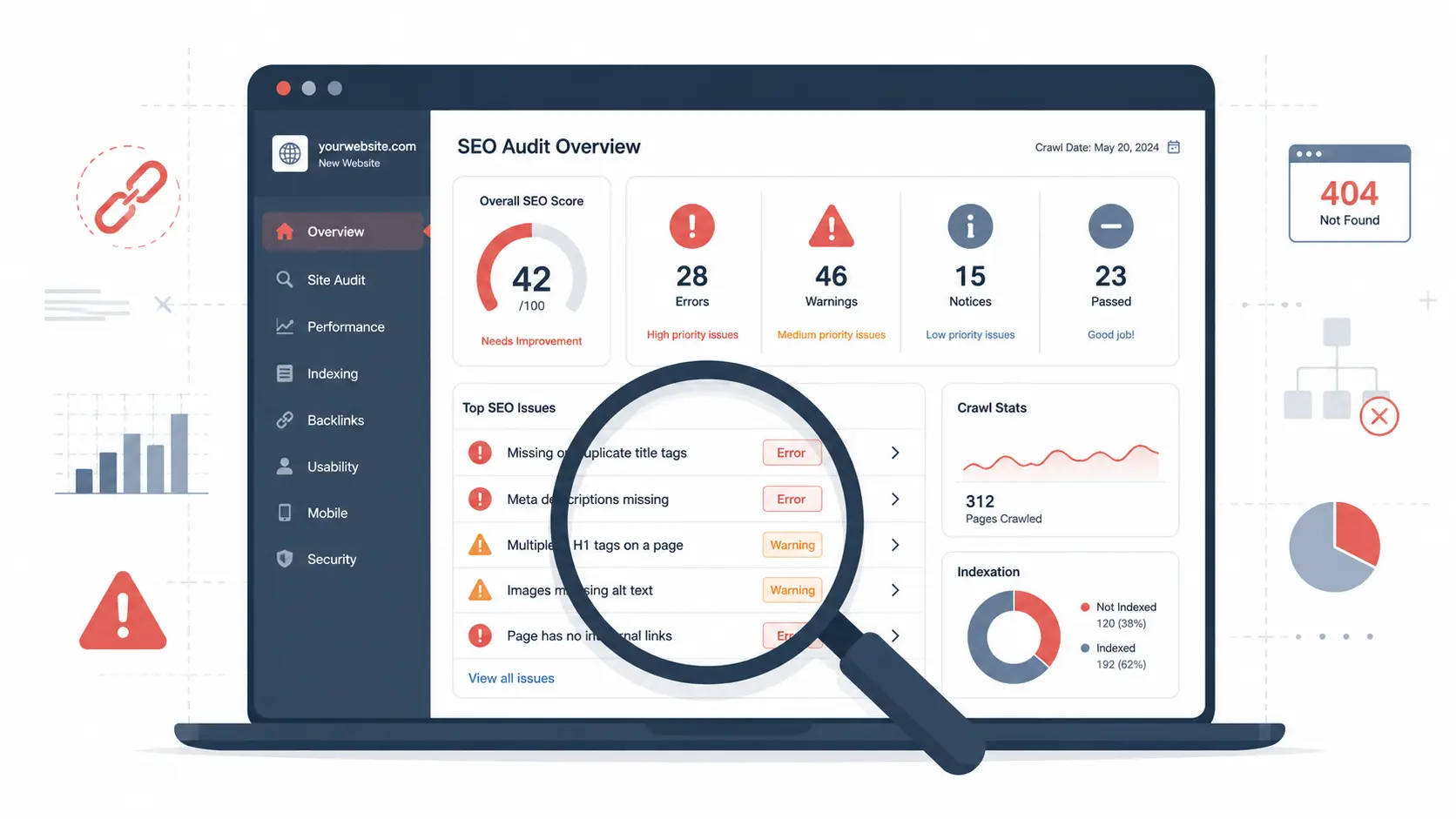
Meta titles and meta descriptions are two of the most impactful on-page SEO elements. Yet it's surprisingly common to find new websites where they're either blank, auto-generated with generic text, or copy-pasted identically across every page.
Why it hurts: Google uses the meta title as a direct ranking signal. The meta description, while not a direct ranking factor, significantly influences your click-through rate (CTR) in search results. Neglecting both means leaving easy wins on the table.
How to fix it:
Write a unique meta title for every page — ideally 50–60 characters — with the primary keyword placed toward the beginning.
Craft a compelling, descriptive meta description between 120–160 characters. Think of it as ad copy: give users a clear reason to click on your result over others.
If you're on WordPress, plugins like AIOSEO or Yoast SEO make managing these fields straightforward without touching any code.
3. Not Mobile-Friendly (Google Mobile-First Indexing)
Since 2019, Google has officially operated on mobile-first indexing, meaning it evaluates and ranks websites based primarily on their mobile version — not the desktop experience. This is a permanent shift, not a temporary trend.
Why it hurts: A poorly optimized mobile experience can damage your rankings across the board, even for users who visit your site from a desktop. If the mobile version is broken or hard to navigate, Google treats the entire site as low-quality.
How to fix it:
Use a responsive theme or template that automatically adapts your layout to any screen size.
Run your site through Google's Mobile-Friendly Test to identify specific issues.
Ensure that buttons are large enough to tap, fonts are readable without zooming, and navigation menus work smoothly on small screens.
4. Slow Loading Speed (Core Web Vitals)
Core Web Vitals are Google's standardized metrics for measuring real-world page experience. The three primary metrics are:
LCP (Largest Contentful Paint): how quickly the main content of a page loads.
INP (Interaction to Next Paint): how responsive the page is to user interactions.
CLS (Cumulative Layout Shift): how visually stable the page is as it loads — do elements jump around unexpectedly?
Since 2021, all three are official Google ranking factors.
| Metric | Ideal Target |
|---|---|
| LCP (Largest Contentful Paint) | ≤ 2.5 seconds |
| INP (Interaction to Next Paint) | ≤ 200 ms |
| CLS (Cumulative Layout Shift) | ≤ 0.1 |
Why it hurts: A slow website doesn't only hurt your search rankings — it drives visitors away before they've even seen your content, and directly reduces conversions.
How to fix it:
Compress all images before uploading. Use the WebP format for smaller file sizes without sacrificing quality.
Enable server-side caching and consider using a CDN (Content Delivery Network) to serve assets faster to users in different regions.
Audit and remove unused plugins and scripts that load on every page.
Regularly check your performance scores at Google PageSpeed Insights.
5. No Internal Linking Strategy
Internal linking — the practice of linking from one page on your site to another — is one of the simplest and most effective SEO tactics available. It's also one of the most consistently overlooked by new websites.
Why it hurts: Without internal links, search engine crawlers have difficulty discovering and understanding the full structure of your site. Important pages can become orphan pages — pages with no inbound links — that receive no link equity and are rarely crawled.
How to fix it:
Every new post should include at least 2–3 internal links pointing to relevant pages elsewhere on your site.
Your most strategically important pages — service pages, product pages, key landing pages — should receive internal links from multiple blog posts and content pages.
Use descriptive, contextual anchor text that clearly reflects what the linked page is about. Avoid generic phrases like "click here" or "read more."
6. Thin Content With No Real Depth
Thin content refers to pages that are short, superficial, or fail to deliver meaningful value to the reader. According to AIOSEO and Backlinko's research, high-quality, comprehensive content is the single most important Google ranking factor — consistently.
Why it hurts: A 200–300 word article simply cannot compete with a thorough, expert-level piece that fully addresses a topic, anticipates reader questions, and satisfies search intent. Google's algorithms have become remarkably good at evaluating content depth and usefulness.
How to fix it:
Aim for at least 800–1,500 words for competitive blog posts. For high-stakes topics, well-researched long-form content often outperforms shorter alternatives.
Provide original insights, real-world examples, data points, or unique perspectives that aren't easily replicated.
Always write with search intent in mind: are readers looking to learn, compare, or take action? Match your content format and depth to that intent.
Schedule periodic updates for older articles to keep information accurate and current.
7. Not Registering on Google Search Console and Google Business Profile
This is one of the most common oversights new website owners make — and ironically, one of the easiest to fix. Google Search Console (GSC) is a free tool that lets you monitor your site's performance in search results, detect indexing issues, and track which keywords are driving traffic.
Google Business Profile (GBP) is equally critical for any business with a physical location or local service area, enabling you to appear in Google Maps and local search results.
Why it hurts: Without GSC, you're operating without visibility — you won't know which pages are indexed, whether there are crawl errors, or what's actually generating clicks. Without GBP, your local business is effectively invisible to nearby customers searching for your services.
How to fix it:
Register and verify your website in Google Search Console as soon as your site goes live. Don't wait.
Submit your XML sitemap through GSC to help Google discover and index your pages faster.
Create and fully complete your Google Business Profile: add accurate business information, high-quality photos, correct business categories, operating hours, and a phone number or contact method.
Final Thoughts
SEO is not a checkbox you tick once — it's an ongoing practice that compounds over time. For new website owners, the single most important decision you can make is building a strong foundation from the very beginning: thorough keyword research, optimized meta tags on every page, solid technical performance, genuinely useful content, and proper registration with Google's own tools.
Avoid these 7 mistakes, and your website will be in a dramatically stronger position to rank on the first page of Google and generate consistent, sustainable organic traffic for months and years to come.
References
Backlinko. Google's 200 Ranking Factors: The Complete List (2026). https://backlinko.com/google-ranking-factors
First Page Sage. The 2025 Google Algorithm Ranking Factors. https://firstpagesage.com/seo-blog/the-google-algorithm-ranking-factors/
AIOSEO. 10 Google Ranking Factors to Act on in 2025. https://aioseo.com/google-ranking-factors/