Is a Website an Investment or Just Another Expense?
Indonesia's government agency Kominfo once set an ambitious target: helping 30 million small and medium enterprises (SMEs) adopt digital technology. This push has prompted more business owners than ever to consider building a website. But the question that almost always comes up first is: *"How much does it actually cost?"
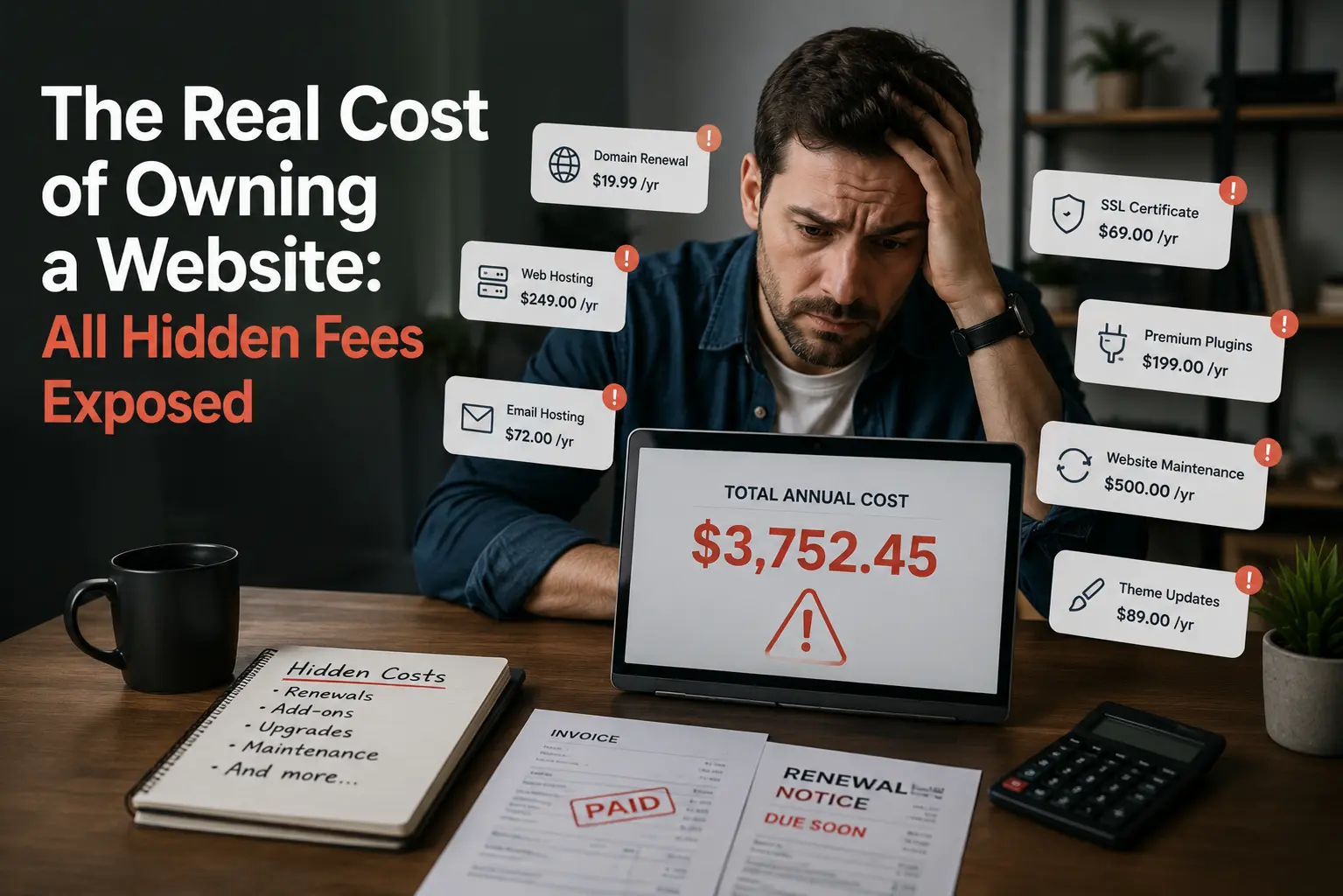
The honest answer? More than what's quoted in the brochure. This article breaks down every cost component—including the ones vendors rarely mention upfront—so you can make a truly informed decision.
The Core Cost Components
1. Domain Name
Your domain is your website's address on the internet, such as yourbusiness.com. Pricing varies by extension:
.com — approximately $10–15/year
.id (Indonesia-specific) — approximately $15–40/year (requires identity verification)
.co.id — approximately $20–50/year
Critically, domains must be renewed every year. If you miss the renewal window, someone else can register it and you could permanently lose your online brand identity.
2. Web Hosting
Hosting is where your website's files and data actually live. This is where prices vary the most. For most small businesses, two options are most relevant:
Shared Hosting — Your website shares server resources with many other websites. It's the most affordable entry point, suitable for simple informational or portfolio sites. Prices typically start around $2.59–8/month. The downside is that performance can dip if other websites on the same server experience traffic spikes.
VPS (Virtual Private Server) Hosting — Your resources are partitioned and dedicated to your website alone, even though the physical server is still shared. Far more stable and faster than shared hosting. Ideal for e-commerce stores or websites with meaningful traffic. Plans typically start around $10–30/month.
According to DreamHost, a well-established hosting provider, shared hosting starts at $2.59/month while VPS plans start at $10/month—meaning there is an accessible entry point for businesses at every stage of growth.
3. Website Development Cost
This is the most variable cost of all:
Simple landing page (DIY/template-based): $30–150
Professional company profile website: $200–1,000
Full e-commerce store: $700–5,000+
All-in-one monthly agency package: $100–400/month (typically includes hosting and maintenance)
4. Ongoing Maintenance
A website is not a one-time purchase. Routine upkeep—fixing broken links, updating content, ensuring security patches are applied—can cost anywhere from $15 to $100/month depending on website complexity.
Hidden Costs That Vendors Rarely Mention
This is the section that tends to surprise small business owners the most:
SSL Certificate
SSL is the security protocol that gives your website the https:// prefix (the padlock icon in the browser). Without SSL, modern browsers display a "Not Secure" warning to your visitors—a serious trust killer for any business.
The good news: many hosting providers offer free SSL certificates via Let's Encrypt. However, paid SSL certificates—especially important for e-commerce sites handling payment data—range from $30–150/year and come with additional warranties and trust indicators.
Regular Backups
What happens if your website gets hacked or a plugin update corrupts your data? Without backups, you could lose everything. Automated backup services are typically an add-on costing $3–15/month, or you handle it manually (which requires time and technical know-how).
Plugin & CMS Updates
If your website runs on WordPress—which powers over 40% of all websites on the internet—plugins and themes need regular updates for security reasons. Ignoring updates leaves your site vulnerable to exploitation. Many agencies charge a monthly update and maintenance fee of $10–25.
Professional Email
A [email protected] address looks noticeably less professional than [email protected]. Business email tied to your domain is usually not included in basic hosting plans and costs around $3–8/account/month.
Content & Media Costs
Professional product photography, stock image licenses, or blog content creation can add $15–100+/month if you're not handling it in-house.
Monthly Retainer vs. Per-Project: Which Is Better?
| Model | Pros | Cons | |---|---|---| | Per Project | Clear upfront cost, you own the asset | Unexpected maintenance costs, requires technical knowledge | | Monthly Retainer (All-in-One) | Predictable budget, technical support included | Higher total cost over the long run |
A real-world cost comparison:
Option A — DIY / Self-Managed:
Domain (.com): ~$12/year
Shared hosting: ~$5/month = $60/year
Free SSL (Let's Encrypt): $0
Backup plugin (premium): ~$15/year
DIY maintenance: $0 (but costs your time!)
Year 1 Total: ~$87 (not including initial development)
Option B — All-in-One Agency Package:
Monthly package (domain + hosting + SSL + maintenance + support): $25–50/month
Annual Total: $300–600
The cost difference is significant. But an all-in-one package delivers peace of mind—no server headaches, no late-night update panics, no technical support gaps.
How to Calculate Your Website's ROI
ROI (Return on Investment) measures whether your website is actually paying for itself. The basic formula is:
ROI = ((Revenue Generated by Website - Total Website Cost) / Total Website Cost) × 100%
A practical example:
Imagine you run a catering business. Your annual website cost is $350. Thanks to the website, you secure 5 new orders per month at an average of $35 per order.
Additional revenue per year: 5 × $35 × 12 = $2,100
ROI: (($2,100 - $350) / $350) × 100% = 500%
For every $1 invested in your website, you get $5 back within a year. Of course, this depends heavily on website quality, content strategy, and how effectively you drive traffic to it.
Tips to maximize website ROI:
Ensure your site is fully mobile-optimized (over 60% of internet users in Indonesia browse on smartphones)
Include clear calls-to-action such as a WhatsApp chat button or an order form
Update your content regularly to maintain search engine visibility
Conclusion: What's the Best Choice for Your Business?
There's no universal answer, but here's a practical framework:
Just starting out with a tight budget? Begin with shared hosting, a free SSL certificate, and a CMS like WordPress. Manage it yourself while you learn.
Established revenue but don't want technical headaches? An all-in-one package from a reputable agency is the smart move.
Running an active online store with real transactions? Consider VPS hosting for the performance, security, and stability your business deserves.
The most important takeaway: never just look at the headline price. Always ask about SSL, backups, update policies, and renewal fees. Transparency from day one is the hallmark of a vendor you can trust.
References
DreamHost. (2024). Shared vs. VPS Hosting: A Comprehensive Guide. https://www.dreamhost.com/blog/shared-vs-vps-hosting/
Ministry of Administrative Reform / Kominfo. Kominfo Targets 30 Million MSMEs to Adopt Digital Technology by 2024. https://menpan.go.id/site/berita-terkini/berita-daerah/kominfo-targetkan-30-juta-umkm-adopsi-teknologi-digital-pada-2024